Read Time:3 Minute, 36 Second
Video calls and text chat do not always work well when teams require more vivid interaction and better comprehension as the scale of remote work increases. Augmented reality (AR) helps in this regard by enhancing collaboration through overlaying digital information onto the real world, enabling more convenient teamwork regardless of the location of group members. AR facilitates visualization of complicated tasks, communication, and remote problem-solving.
Augmented Reality in Collaboration
Augmented reality (AR) refers to technology that superimposes digital content onto a person’s view of the real world. Such content can include 3D models, annotations, or images. This differs from virtual reality (VR), which creates a fully digital environment. AR, instead, enhances the real environment with interactive digital elements.
AR allows remote participants to engage with the same visual objects in real time within collaborative environments, enabling teams to coordinate more efficiently despite being geographically dispersed.
Shared Visual Workspaces Enhance Clarity
One of the key benefits of AR in remote collaboration is the ability to establish a shared visual space, which can be observed and used by two or more people simultaneously. Team members can view 3D models and objects from various angles, as though they were in the same room, rather than perceiving them on flat screens or static slides.
This minimizes misunderstandings, accelerates consensus, and has been shown to be effective in design reviews, engineering, and architecture.
Contextual Feedback and Real-Time Interaction
AR facilitates collaborative work in real time, enabling users to mark digital content directly in front of them. For example, a field technician can be guided by a remotely located expert who places virtual labels or markers on equipment, helping the technician locate parts, follow instructions, or correct mistakes.
One such tool is Microsoft’s Dynamics 365 Remote Assist. It allows remote specialists to see what frontline employees see, annotate their field of view, and provide instructions without being physically present.
Sensory Immersion and Presence
Video calls have often been considered flat and uninteractive, particularly during longer or more complex sessions. AR enhances remote teamwork by making the experience more immersive, allowing participants to feel a sense of co-presence.
AR-based meetings can display 3D avatars, shared models, and interactive objects that all participants can see. This co-presence improves engagement, encourages active participation, and facilitates communication.
Real-Life Application in Industries
AR is applicable in many spheres. Some of its key applications are highlighted below:
1. Product Design and Engineering
For designers and engineers, it allows them to work collaboratively on 3D models, examine prototypes, write notes, and suggest modifications without shipping physical components. This accelerates iteration and eliminates dependency on fixed drawings.
2. Remote Assistance in Field Operations
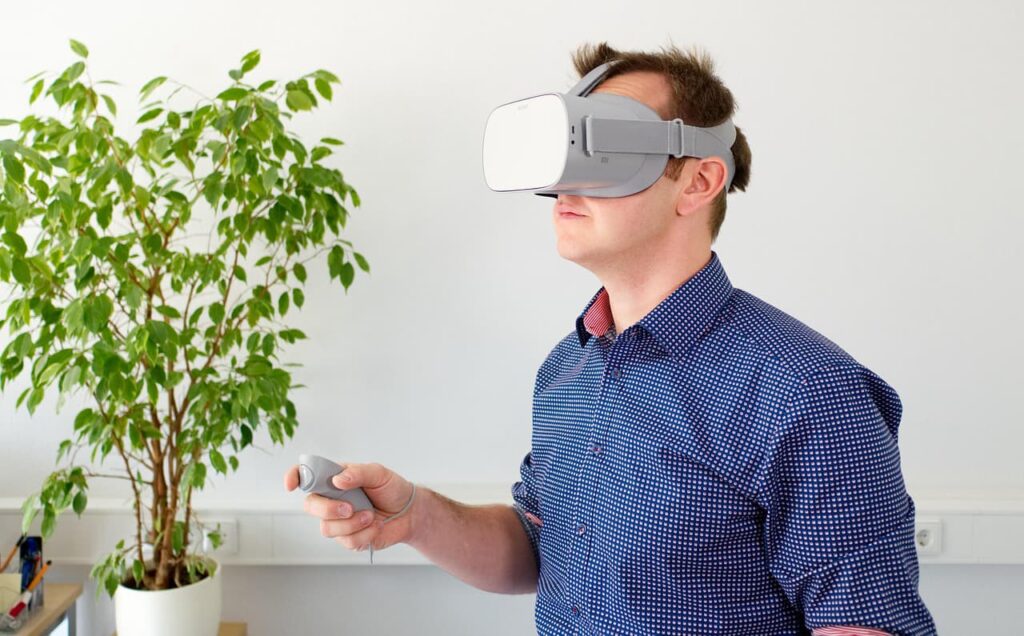
AR can be used in manufacturing, utilities, and maintenance to assist field workers in real time. A technician can wear an AR headset, share their view with a remote specialist, and receive visual guidance and annotations while working. This improves accuracy and can reduce errors in complex tasks.
3. Training and Onboarding
AR transforms training into practical learning by superimposing instructions on equipment or the workplace in a step-by-step format. Individual learners grasp complicated processes more intuitively compared to videos and manuals.
4. Education and Remote Learning
AR is increasingly being applied in classrooms to assist students in different locations. Shared AR experiences enable students to collaborate on assignments, view virtual objects, and participate in interactive simulations to enhance collective understanding.
Challenges and Possible Considerations
Despite its benefits, AR adoption in remote collaboration still faces some barriers. Noticeable ones include:
- Hardware Requirements: AR devices may be costly and very demanding in terms of computing power.
- User Training: Training is sometimes necessary to use an application effectively, especially a complex enterprise application.
- Integration: AR systems need to be incorporated into the internal workflow and collaboration systems.
As technology improves and hardware becomes more affordable, these barriers are gradually diminishing.
Last Thoughts
AR is transforming remote collaboration by helping to build a shared visual space. It supports live communication and enables deeper interaction compared with standard video or text-based tools. Ultimately, it provides tangible advantages that facilitate cooperation beyond geographic barriers.
With the ongoing development and integration of AR technology into collaboration tools, it is poised to become a core pillar of how distributed teams interact, communicate, and innovate in the foreseeable future.

Happy
0 %

Sad
0 %

Excited
0 %

Sleepy
0 %

Angry
0 %

Surprise
0 %
 0
0
 0
0